What players say
Endless Road RPG Quest offers a straightforward and enjoyable browser RPG experience. The skill upgrade system is easy to understand, and the save code feature makes it convenient to play across sessions. The characters add a nice touch of guidance. It is a perfect choice for casual gamers looking for a no-download adventure.
About this game
Game Introduction
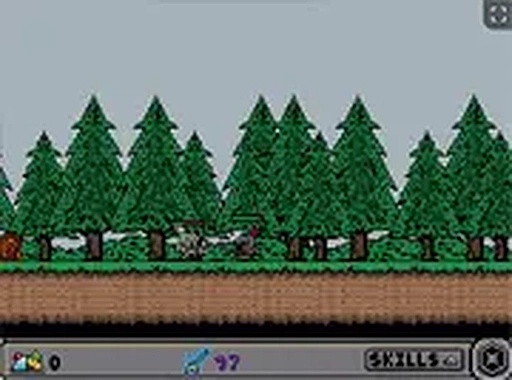
Endless Road RPG Quest is a free-to-play browser-based role-playing game that places you on an endless path filled with treasure chests, gold bags, and opponents to overcome. Your main objective is to interact with these targets to earn in-game currency and skill points. As you progress, you can invest skill points into enhancing your attack, defense, and speed through the Skills menu. The game also features skill stones that can be upgraded for additional power. Unique characters like Loren, Atticus, Roscoe, and Lyle provide support, training, stone enhancements, and helpful tips. Designed for desktop browsers, the game includes a full-screen mode for an immersive experience. This game offers a straightforward progression system that rewards consistent play and strategic planning.
How to Play
To play Endless Road RPG Quest, use your keyboard and mouse on a computer. Click on chests and opponents to interact with them and collect currency and skill points. Open the Skills menu to upgrade your attack, defense, and speed or to enhance your skill stones. Save your progress by speaking to Loren, copying the provided code, and storing it in a document. To load a saved game, select Load from the main menu and paste your code. Train with Atticus to learn new abilities, and visit Roscoe to upgrade skill stones. After reaching attack level three, Lyle appears with useful information. The game is optimized for desktop browsers.
Game Features
Free-to-play browser RPG with no downloads required. Skill upgrade system for attack, defense, and speed. Skill stones that can be enhanced for extra power. Character interactions with Loren, Atticus, Roscoe, and Lyle. Save and load system using codes. Full-screen mode for an immersive experience. Designed specifically for desktop play. The game offers a simple yet engaging loop of collecting, upgrading, and progressing along an endless path.
Tips for Success
Focus on upgrading your attack early to overcome opponents more efficiently. Save your progress frequently by speaking to Loren and storing your code safely. Experiment with skill stone enhancements to discover powerful combinations. Train with Atticus regularly to unlock new abilities that can give you an edge. Keep an eye on Lyle's tips as you progress, as they often provide valuable insights for later stages.