
What players say
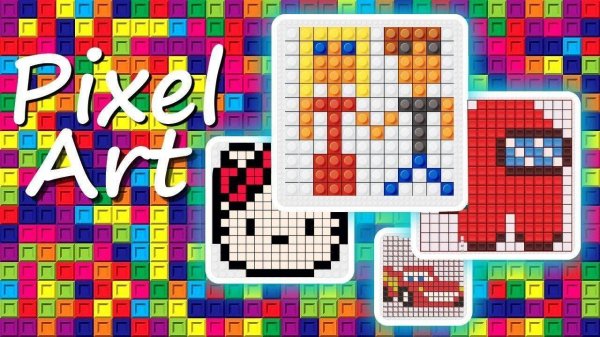
Pixel Mosaic Color Match succeeds as a low-stress creative outlet. The color-by-number mechanic is intuitive, and the three difficulty levels ensure it works for both kids and adults. The built-in editor is a standout feature, letting players design original art. The regular addition of new images keeps the experience from feeling stale. A solid choice for anyone seeking a peaceful, family-friendly puzzle game.
About this game
How the Coloring System Works
At its core, this game uses a simple matching principle. Each blank cell on the grid displays a number, and a palette of colors is provided with corresponding numbers. Players select a color from the palette, then tap or click on every cell marked with that number. The color instantly fills those cells, gradually revealing the hidden picture. This straightforward loop makes it easy for anyone to create detailed pixel art without needing drawing skills.
Image Variety and Themes
The game offers a broad selection of images organized into themes such as animals, natural landscapes, and famous artworks. Each image is recreated in a pixelated mosaic style, giving it a retro, charming look. New images are added regularly, ensuring there is always something fresh to work on. Players can browse the gallery and pick a picture that matches their mood or skill level.
Three Difficulty Levels
To accommodate different ages and experience, the game includes three difficulty settings. Easier images have larger pixel blocks and fewer colors, making them quick to complete. Harder images feature smaller grids and more color variations, offering a longer, more engaging challenge. This tiered structure allows beginners to build confidence while providing depth for those seeking a more involved puzzle.
Creative Freedom with the Editor
Beyond completing pre-made images, players can design their own pixel art using a built-in editor. This mode provides a blank grid where users can place colors freely to create original pictures. Once finished, the artwork can be saved and shared with friends or family. This feature extends the game’s replay value and encourages personal expression.
Family-Friendly Accessibility
The game is designed to be inclusive for all ages. Young children can use an optional automatic color selection mode that highlights the next correct cell, reducing frustration. Multilingual voice guidance is available to help non-readers follow along. These thoughtful touches make the game a suitable choice for family play sessions or quiet individual relaxation.
Visual and Audio Atmosphere
The pixel art style gives each image a nostalgic, game-like appearance. The interface is clean and uncluttered, with a soft color scheme that feels calming rather than overwhelming. Gentle background music and subtle sound effects accompany the coloring process, enhancing the relaxing experience without being distracting. Players can also adjust or mute audio to suit their preference.









03 Player Comments
Sign in to comment
You must be logged in before posting a review or rating.
No account? Create one
No comments yet. Be the first to comment!